
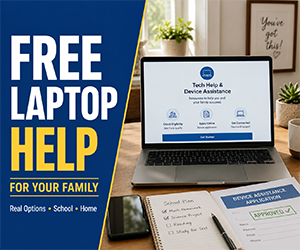
Need a Free Laptop? Real Help for School, Work & Family Life
When money is tight, buying a laptop can feel impossible. But a working computer can make a real difference. You may need it for school, job applications, online classes, telehealth visits, benefits, banking, resumes, video calls, or helping your family stay connected.
The good news is simple: real help exists. The less-good news: it usually does not arrive through a random “free government laptop for everyone” page with flashing buttons and zero details. The realistic paths are nonprofit computer programs, schools, libraries, local assistance, community giving groups, refurbished laptop options, and rewards you can use toward the device you actually need.
Explore Current Free Laptop & Computer Offers
ad$enseStart With Nonprofit Laptop and Computer Programs
Nonprofits are usually the best first place to check because many are built to help students, families, veterans, seniors, job seekers, and people with limited budgets get access to technology.
Approval is not guaranteed, and inventory can change. But this route is much more realistic than chasing mystery laptop offers that ask for too much personal information before they explain what you are actually getting.
Computers with Causes
Computers with Causes accepts applications from people who need help getting a working computer. If approved, you may receive a donated or refurbished laptop or desktop based on your situation and available inventory.
Best for: Students, parents, teachers, seniors, veterans, military families, shelters, and people facing financial hardship.
EveryoneOn
EveryoneOn can help you find affordable internet and computer options near you. This is useful if you need both a laptop and a way to get online, because a laptop without internet is basically a very serious-looking notebook.
Best for: Families looking for low-cost internet, affordable computers, and local digital access help.
World Computer Exchange
World Computer Exchange focuses on refurbished computers for education and community use. It may be worth checking if your need is tied to school, learning, a nonprofit, or a community technology project.
Best for: Education-related needs, schools, nonprofits, community groups, and broader digital access projects.
Check Schools, Colleges, and Libraries
If the laptop is needed for school, training, or job searching, local education resources may be the fastest path. These places may not always give you a laptop to keep, but they can often help you get access while you look for a longer-term solution.
- K-12 schools: Ask about loaner laptops, Chromebooks, emergency device programs, and district technology support.
- Colleges: Check financial aid, student services, the campus library, and emergency grant programs.
- Public libraries: Some libraries lend laptops, Chromebooks, tablets, or hotspots. Others offer free computer access, printing, scanning, and job-search help.
Even temporary access can help. If you need to apply for jobs, finish school forms, join online classes, or handle benefits paperwork, a borrowed laptop may solve the immediate problem while you keep looking for a device to keep.
Use Local Help Before You Give Up
Local programs can sometimes move faster than national ones. A national nonprofit may have a waitlist, while a nearby group may know exactly where to send you.
- Dial 211: Ask about technology assistance, school support, job search help, family resources, and nonprofit programs near you.
- Community centers: They may know about laptop donation programs, refurbished computer options, or local grants.
- Workforce centers: If you need a laptop for job applications, resumes, interviews, or training, ask about computer access or device help.
- Churches and local charities: Some organizations help families with essential needs when resources are available.
🔍 Pro-Tip: If one route does not fit your situation, search by the kind of help you actually need: Free Computers, Free Laptop, Budget Laptops, or Earn Cash Rewards.
Try Community Giving Groups
Not every free laptop comes from a formal program. Many people upgrade their devices and give away older laptops that still work. These devices may not be fancy, but they can be enough for schoolwork, email, forms, job searches, video calls, and everyday tasks.
Check local Buy Nothing groups, Freecycle, neighborhood apps, Facebook Marketplace free sections, Craigslist free listings, and community bulletin boards.
Safety tip: Meet in a public place, avoid sending money in advance, and test the laptop if possible before taking it home. Free is great. Free with a locked account, mystery password, missing charger, or cracked screen is less charming.
What About Government Laptop Programs?
Be careful with pages that promise a guaranteed free government laptop. That phrase gets used a lot online, but it often leads to outdated claims, vague eligibility pages, or offers that never clearly explain what you are getting.
Quick note: ACP, also called the Affordable Connectivity Program, ended in 2024 and is no longer providing monthly broadband discounts. Lifeline is still available, but it mainly helps eligible households lower the monthly cost of phone, internet, or bundled service. It should not be treated as a guaranteed free laptop program.
Check Official Lifeline Eligibility
Consider Low-Cost Refurbished Laptops
If you need a laptop quickly, a low-cost refurbished option may be more realistic than waiting for a free one. A basic refurbished laptop or Chromebook can still handle schoolwork, resumes, email, video calls, online forms, basic browsing, and job applications.
This can be a strong backup plan if you combine a sale price with gift cards, rewards, local help, or a small savings goal. A reliable budget laptop today may be more useful than waiting months for a perfect free laptop that never shows up.
Earn Toward the Laptop You Want
If you want more control over the model, rewards can help. You can use legitimate rewards platforms to earn PayPal cash, Amazon gift cards, Visa rewards, or store gift cards, then put that balance toward a laptop.
This takes time, but it lets you work toward the device that fits your needs instead of waiting for a program to choose one for you. It can also help cover a charger, mouse, backpack, warranty, or other basics that make the laptop easier to use.
See How to Earn Toward a Laptop, Phone, or Tablet
What to Expect From a Free Laptop
A free laptop is usually not a new premium model. Most programs provide refurbished, donated, older, or basic devices. That can still be enough for many important tasks.
- Good for: Schoolwork, job applications, resumes, email, video calls, online forms, telehealth, basic browsing, benefits paperwork, and online classes.
- Not ideal for: Heavy gaming, advanced design work, serious video editing, or high-performance software.
The goal is not to get the fanciest laptop. The goal is to get a working device that helps you move forward.
How to Improve Your Chances
- Explain your need clearly. Mention school, work, job searching, healthcare, training, or family needs.
- Apply to more than one program. Inventory, rules, and waitlists can vary.
- Prepare basic documents. Some programs may ask for ID, proof of income, school status, or benefit participation.
- Check local resources too. Schools, libraries, workforce centers, and 211 may know faster options.
- Use rewards as a backup. If free help takes time, start building gift cards or cash toward a budget laptop.
How to Avoid Free Laptop Scams
Free laptop offers attract scammers because people genuinely need devices. Slow down before entering personal information, especially if the page promises expensive tech with almost no details.
- Do not pay surprise fees. Be careful with “free laptop” offers that ask for shipping, processing, activation, verification, or handling payments.
- Avoid guaranteed approval claims. Real programs usually have eligibility rules, waitlists, limited inventory, or review steps.
- Check the organization. Search the name and make sure it is a real nonprofit, school, library, or trusted program.
- Protect sensitive information. Do not share bank details or unnecessary personal information with random sites.
- Be careful with social media posts. Fake giveaways often promise expensive laptops for almost no effort.
- Trust clear terms over flashy promises. A real program should explain who qualifies, what may be offered, and how the process works.
More Tech Help and Savings
If you want more ways to get connected, these OFree pages can help:
The Simple Idea
There is real hope, but the best path is practical. Start with nonprofit computer programs, schools, libraries, local assistance, and community giving groups. Then use refurbished deals or rewards if you need a backup plan.
A working laptop can help with school, work, job searching, healthcare, and daily life. Start with one real option today, apply carefully, and stay away from anything that asks for suspicious fees or makes unrealistic promises. The right laptop does not need to be fancy. It just needs to help you get connected and move forward.